
This morning, I received an interesting phishing email. I’ve a “love & hate” relation with such emails because I always have the impression to lose time when reviewing them but sometimes it’s a win because you spot interesting “TTPs” (“tools, techniques & procedures”). Maybe one day, I’ll try to automate this process!
Today’s email targets Metamask[1] users. It’s a popular software crypto wallet available as a browser extension and mobile app. The mail asks the victim to enable 2FA:
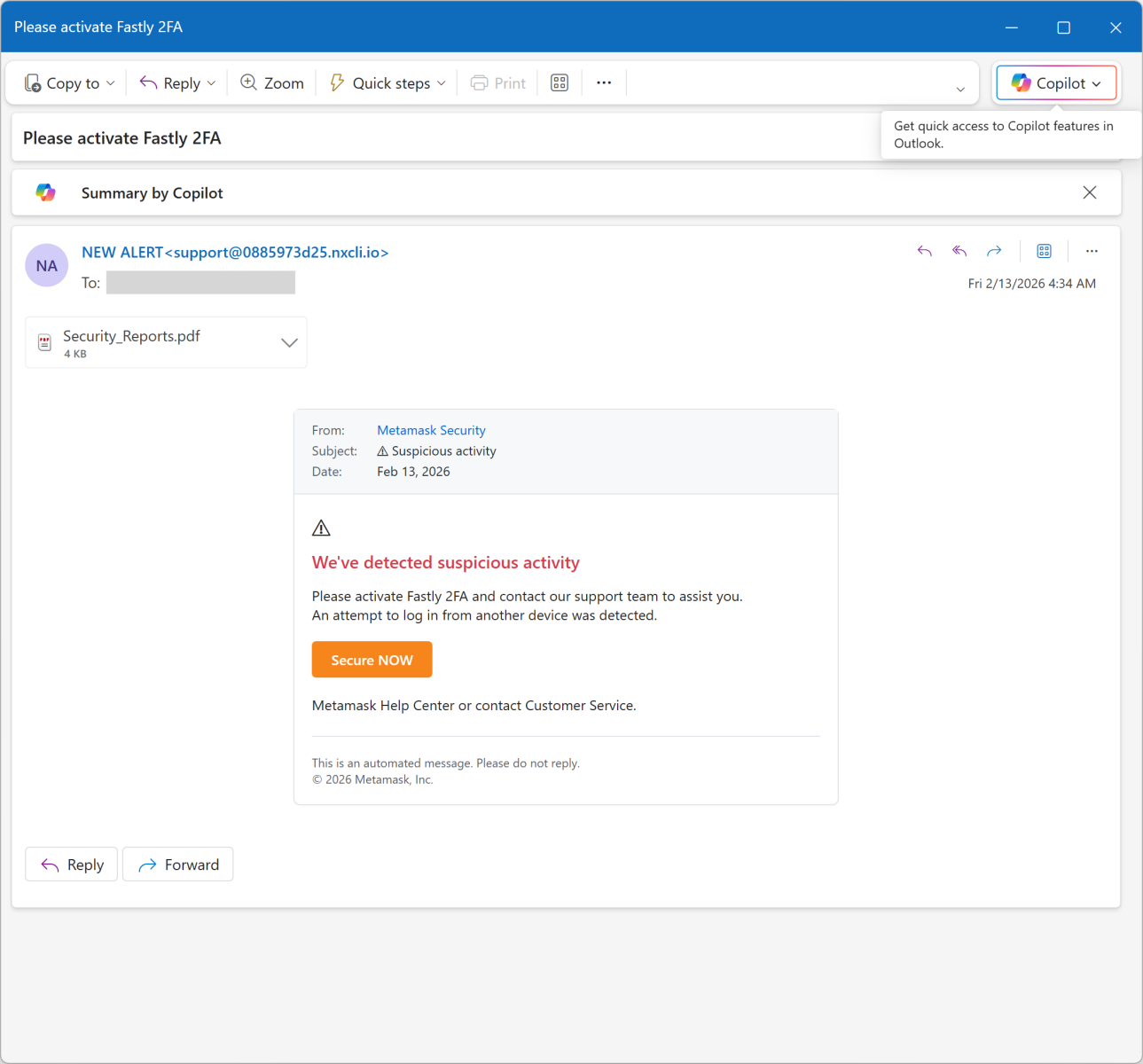
The link points to an AWS server: hxxps://access-authority-2fa7abff0e[.]s3.us-east-1[.]amazonaws[.]com/index.html
But it you look carefully at the screenshots, you see that there is a file attached to the message: “Security_Reports.pdf”. It contains a fake security incident report about an unusual login activity:
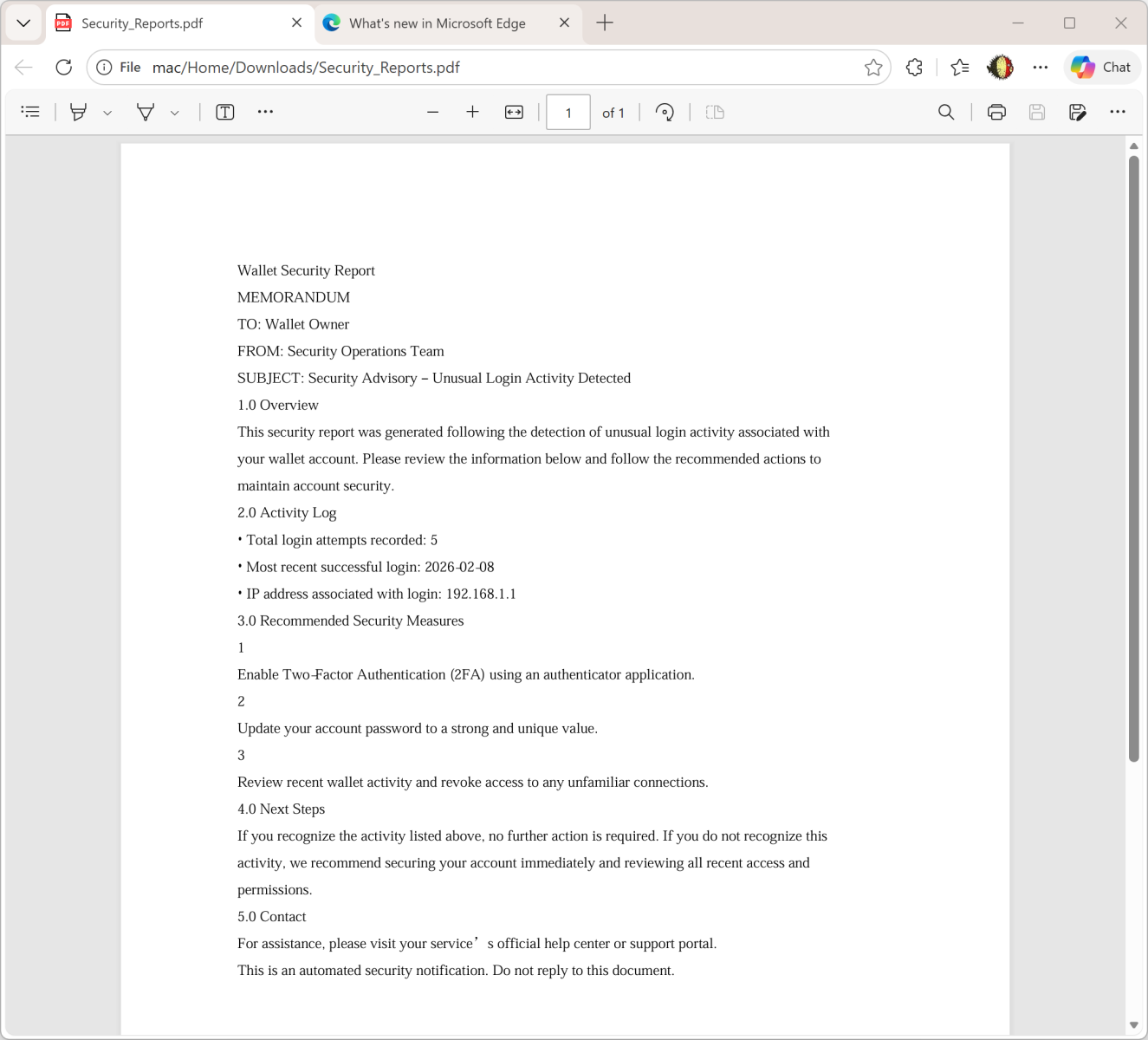
The goal is simple: To make the victim scary and ready to “increase” his/her security by enabled 2FA.
I had a look at the PDF content. It’s not malicious. Interesting, it has been generated through ReportLab[2], an online service that allows you to create nice PDF documents!
6 0 obj
>
endobj
They also provide a Python library to create documents:
pip install reportlab
The PDF file is the SHA256 hash 2486253ddc186e9f4a061670765ad0730c8945164a3fc83d7b22963950d6dcd1.
Besides the idea to use a fake incident report, this campaign remains at a low quality level because the “From” is not spoofed, the PDF is not “branded” with at least the victim’s email. If you can automate the creation of a PDF file, why not customize it?
[1] https://metamask.io
???????[2] http://www.reportlab.com
Xavier Mertens (@xme)
Xameco
Senior ISC Handler – Freelance Cyber Security Consultant
PGP Key
Leave a Reply